
Local numbers are more trustworthy for customers.
Sales and support teams often get better answer rates when calls come from a familiar local mobile number.
Get clear visibility into sales activity, follow-ups, team performance, and top performers - all while using local numbers that your customers will trust.
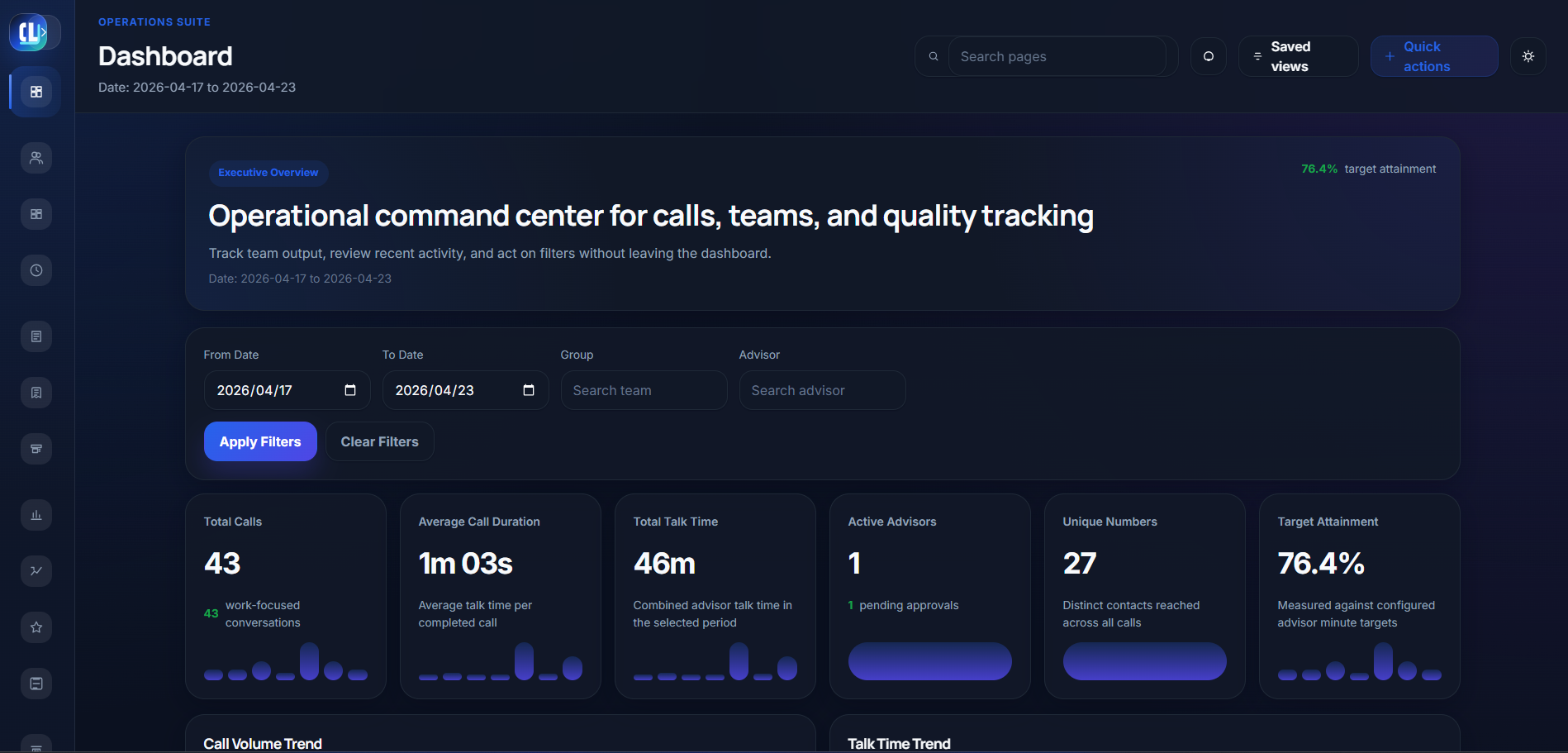
Many sales teams use local numbers instead of VoIP because local numbers are more trustworthy for customers. The management problem starts when those calls happen outside your reporting stack.
Sales and support teams often get better answer rates when calls come from a familiar local mobile number.
Managers lose clean reporting on who called, when the call happened, whether it was new, and what follow-up activity exists.
Keep the practical benefit of local-number calling while restoring control over activity, accountability, targets, and follow-ups.
The point is not to force every team into one calling method. The point is to stop losing the operational data managers need.
Call Log Monitor turns mobile call activity into a practical control panel for sales managers, operations leaders, and distributed teams.
Connect numbers to employees and review related activity without manual reporting.
See which customers were contacted, when, by whom, and how long the call lasted.
Understand whether activity is new outreach or repeated follow-up to existing contacts.
Separate direction mix and understand how much work is driven by inbound or outbound activity.
Review selected-period talk time and see when daily work activity begins.
Compare employees, identify top and weak performers, and measure target attainment.
Each screen supports a specific management question: activity, follow-ups, performance, analytics, and revenue-linked operations.
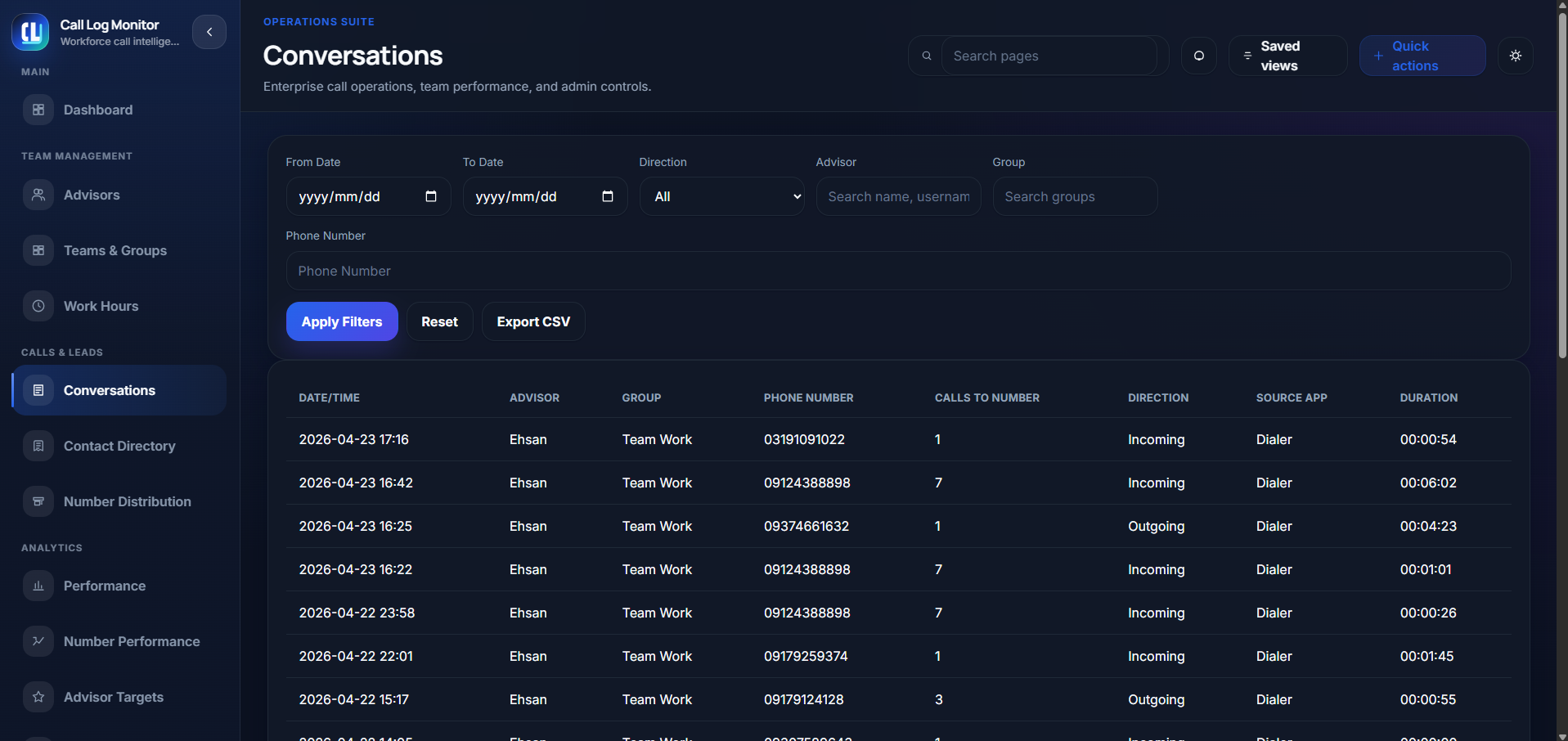
Filter by date, advisor, group, direction, and phone number to understand follow-ups and customer contact history.
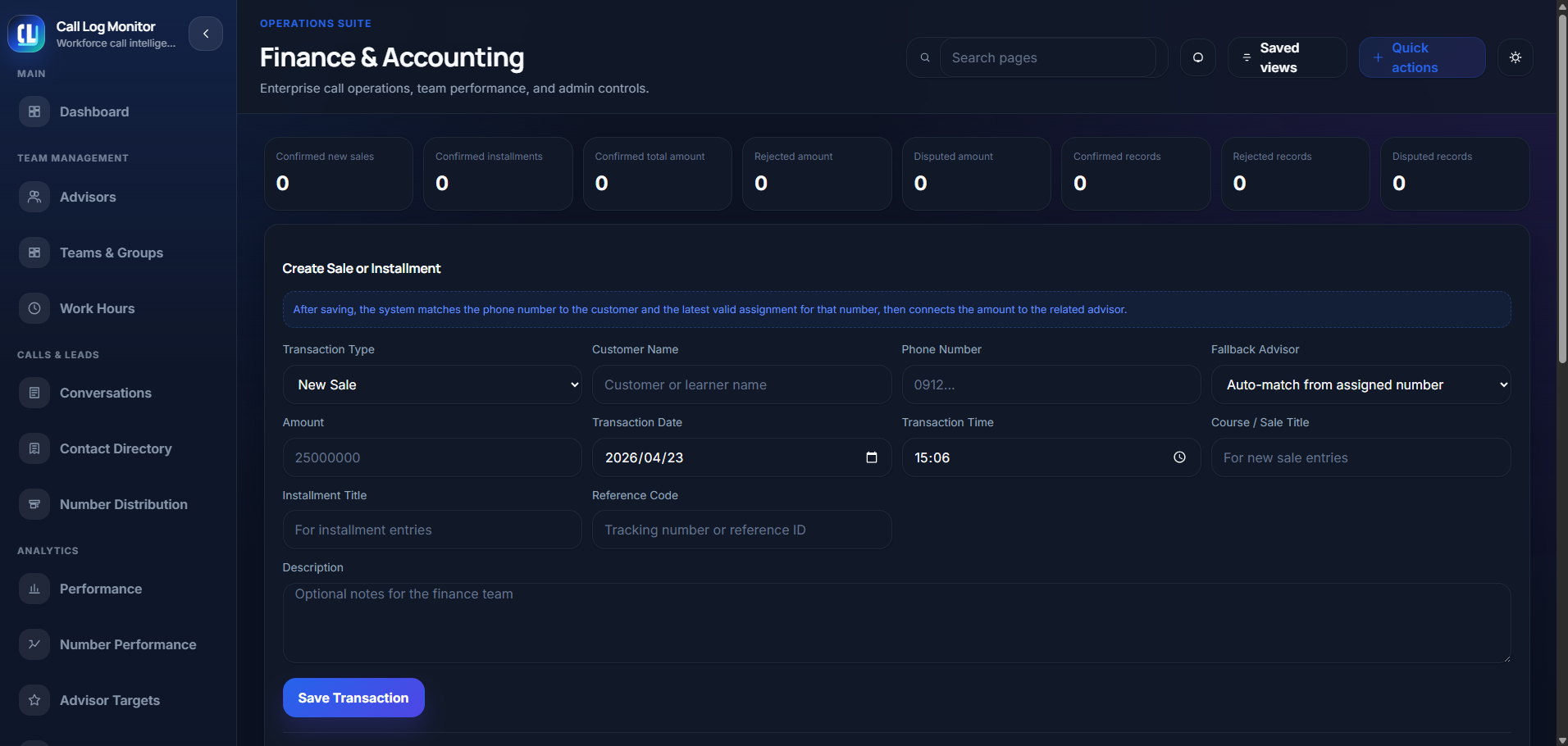
When calls lead to sales, instalments, or disputes, the platform can keep related operational context visible.
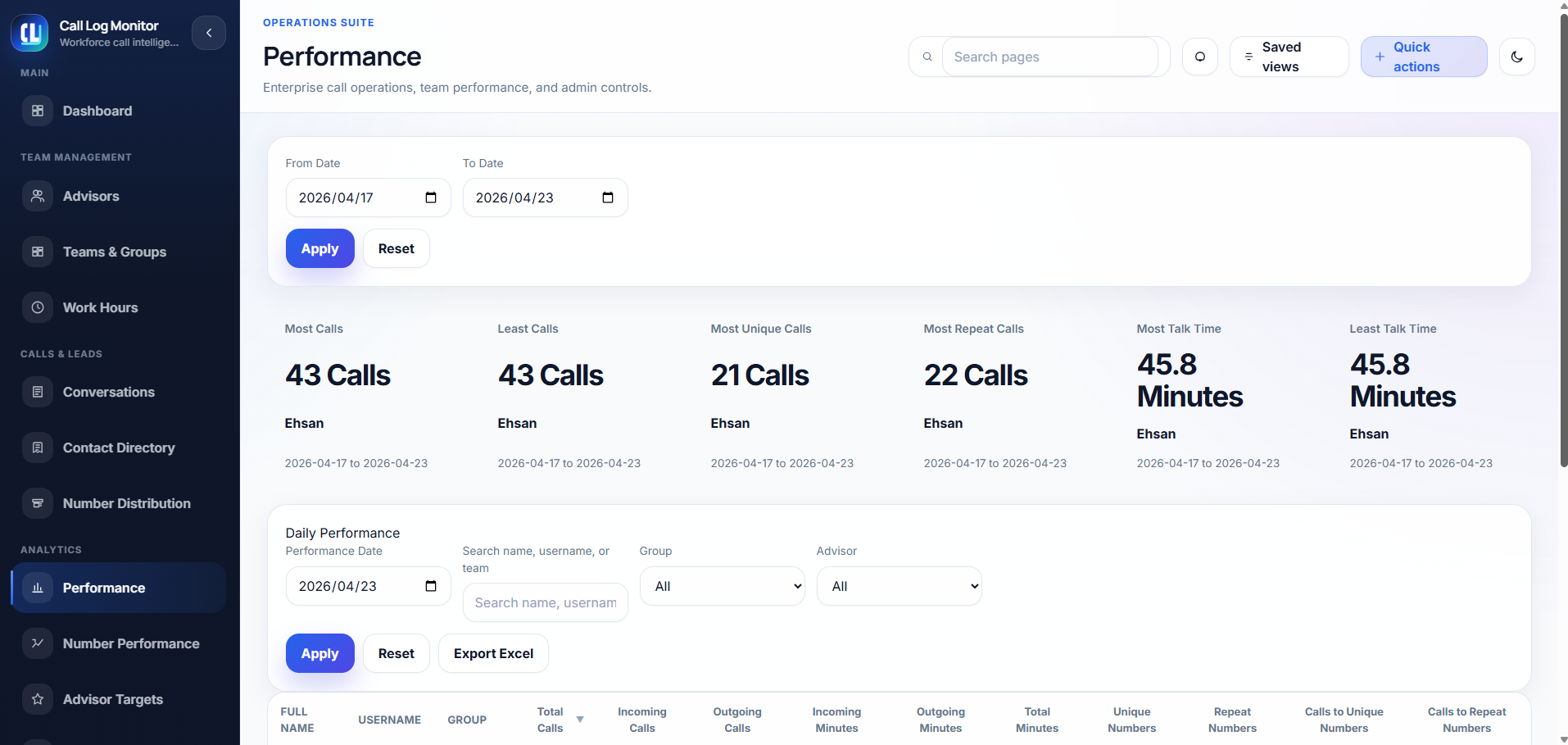
Identify strongest and weakest performers by calls, unique contacts, repeat calls, and talk time.
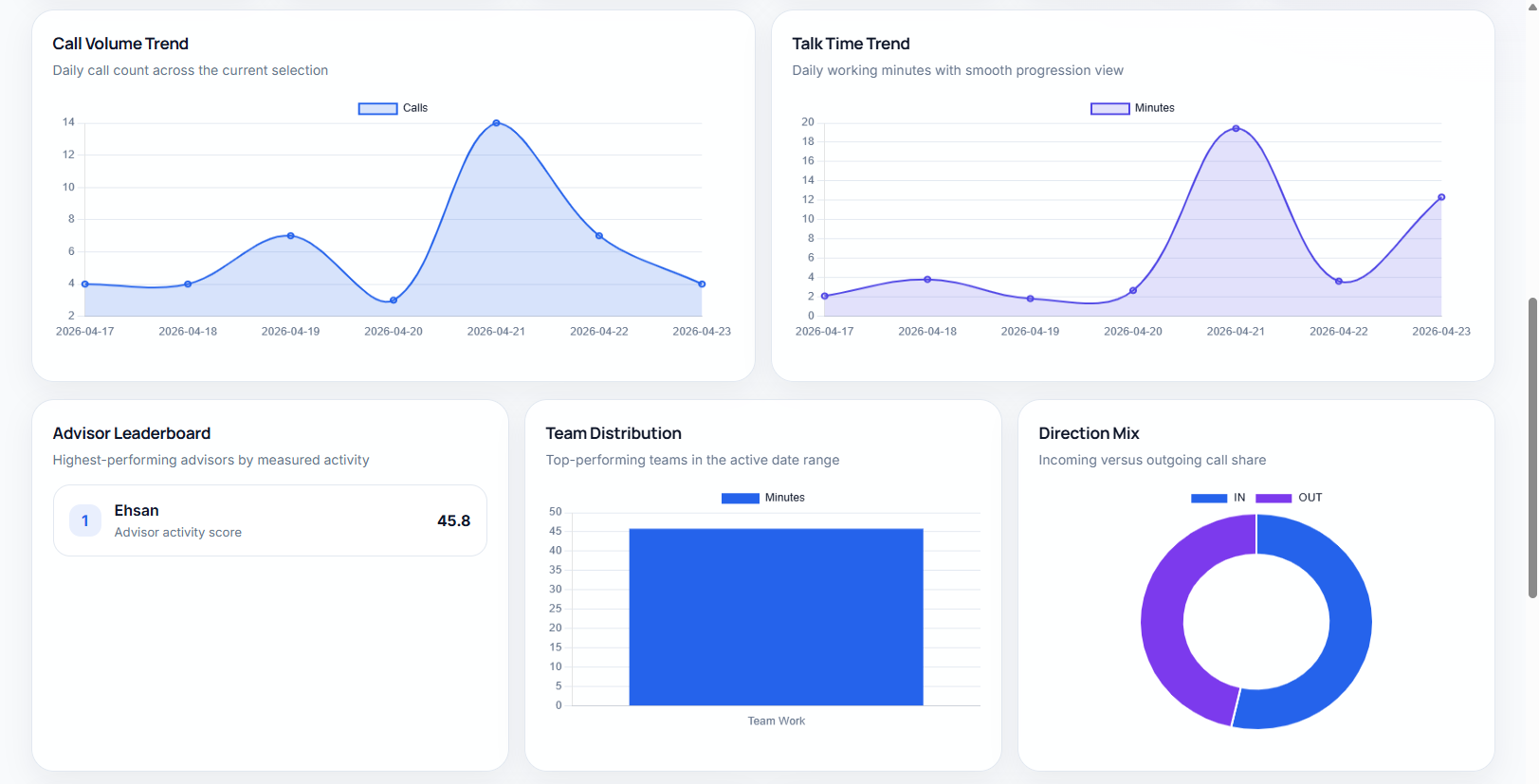
Use charts to see call volume trends, talk-time movement, team distribution, and incoming versus outgoing share.
Less guesswork, fewer manual updates, and a cleaner view of what remote teams are actually doing each day.
Review customer contact history by employee, number, group, and selected period.
Know which calls are new and which are callbacks to previously contacted numbers.
Use call timing and talk-time reporting to understand daily activity coverage.
See performance differences across employees instead of relying on anecdotal updates.
Track attainment and quickly see who is ahead, behind, or inactive.
Maintain operational reporting while employees keep the calling workflow that works.
A simple workflow for teams that need call visibility without changing every customer interaction.
Set up the workspace, users, teams, and assigned numbers that need visibility.
Work calls from employee phones are synced into the management panel.
Managers see calls, callbacks, talk time, direction mix, and performance from one place.
Track goals, rank employees, and follow up on weak activity before it becomes a revenue problem.
Short answers for managers evaluating whether Call Log Monitor fits their team.
No. It can complement VoIP or support teams that still use personal phone numbers. The goal is visibility where VoIP reporting does not cover the real workflow.
The platform is designed for work-call visibility and assigned business activity. Your implementation should define the policy, consent, and scope for what counts as work activity.
No. Call Log Monitor tracks information like number of calls, call timestamps, and phone numbers, but no recordings are made or stored.
Absolutely! That is the core use case: employees can keep using mobile phones while managers get structured reporting for work-related calls.
Managers review dashboards, conversations, assigned numbers, talk time, direction mix, target attainment, and employee rankings inside the web panel.
Absolutely! Submit your preferred date range and time window, and the team will coordinate the best available demo session.
Pick your preferred date range and time window, and our team will schedule an exclusive one-on-one tech demo.
Workspace access and app download stay available here.